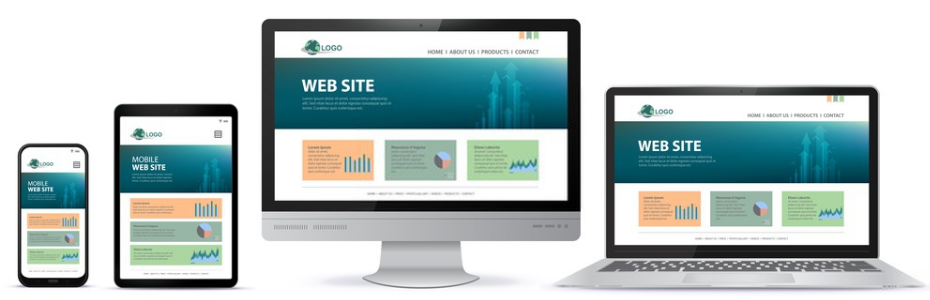
Awebstar is a leading web design & development company in Singapore. With a focus on delivering high-quality solutions, we specialise in web design, web development, e-commerce development, mobile app development, digital marketing, search engine optimization (SEO), and management software solutions. Our team of talented professionals is committed to creating visually stunning and user-friendly websites, powerful e-commerce stores, and building advanced mobile applications.

Logo Designing

As the logo design services, Awebstar uses the optimum UX and UI designs with cutting edge technology for logo designing.

Responsive Website design

To make the responsive website design, Awebstar focusses on an extensive integration of technology and effective designs.

SEO Services

Increase your website visibility by hiring the best SEO company in Singapore and boost your business performance.

Mobile App Development Services

Awebstar, a mobile app development company makes functional, alluring, and easy understandable applications for every business type

eCommerce Website Design Services

If you are searching for an eCommerce website development company in Singapore, then Awebstar is the most reliable company you can go with.

Monday, 27 October 2025

SEO Strategies to Drive Sales on Your E-Commerce Store

SEO Strategies to Drive Sales on Your E-Commerce Store

You’ve built a great e-commerce store. Your products look amazing, your photos are professional, yet sales aren’t where you want them to be. You may be wondering, “Why aren’t customers finding me?”

The problem isn’t always your ads or products. It’s often visibility; your store might not be appearing where shoppers are searching. That’s where Search Engine Optimisation (SEO) comes in.

Think of SEO as the process of helping search engines like Google understand your website so they can show it to people ready to buy. The better your SEO, the more likely your products are to appear in front of your ideal customers.

Let’s look at simple, proven SEO strategies to help boost your sales.

1. Master Keyword Research: Understand What Your Customers Search For

Before you optimise your website, you need to know the words people use when looking for your products. That’s keyword research — the foundation of SEO.

How to Find the Right Keywords

  • Start with your products: List words directly related to what you sell. For example, if you offer handmade leather bags, start with “leather bag,” “women’s tote,” or “men’s messenger bag.”

  • Use long-tail keywords: These are specific phrases like “black leather crossbody bag for travel.” They bring fewer searches but higher conversion rates.

  • Include question keywords: For example, “how to clean a leather bag” or “best backpack for college.”

  • Add buying intent words: Phrases like “buy,” “deal,” “discount,” and “review” show shoppers are ready to purchase.

Tip: Use free tools like Google Keyword Planner or Ubersuggest to discover what people search and how often. Pick keywords that match your products and have steady search volume.

2. Optimise Product Pages for Search Engines and Shoppers

Your product pages act as digital sales representatives. They should clearly describe your products and attract both search engines and real people.

Key Tips:

  • Use descriptive titles: Instead of “Blue Shirt,” say “Men’s Soft Cotton Button-Down Shirt in Sky Blue.”

  • Write unique descriptions: Avoid copying manufacturer text. Focus on how your product benefits the customer.

    • Instead of “Made with cotton,” say, “Enjoy all-day comfort with our soft, breathable cotton fabric.”

  • Use keywords naturally: Add them throughout your description, but write for humans first.

  • Make it easy to skim: Use bullet points for features and benefits.

  • Use clean URLs:

    • ❌ yourstore.com/product?id=123

    • ✅ yourstore.com/mens-blue-shirt

  • Add image alt text: Describe your product images briefly, e.g., “men’s blue cotton shirt front view.” It improves accessibility and helps Google understand your visuals.

3. Create Helpful Content That Answers Customer Questions

Your website shouldn’t just sell — it should educate and build trust. Adding blogs or guides can attract people who are researching before buying.

Content Ideas:

  • How-to guides: “How to Style a Leather Bag for Fall”

  • Buying guides: “The Ultimate Guide to Choosing an Office Chair”

  • Comparisons: “Sports Watch vs. Dress Watch: Which Suits You Best?”

Include links to your products in these articles naturally. For example, a blog about “Best Office Chairs for Home Workers” can link to chairs you sell. This creates trust and encourages soft conversions.

4. Build a Clear and Simple Site Structure

A well-organised site helps both visitors and search engines easily find what they need.

Best Practices:

  • Use clear categories: Example — Men’s Shoes → Running Shoes → Trail Running Shoes.

  • Use internal links: Connect related pages to keep users exploring.

    • From a “hiking boots” page, link to your article “Top Trails to Explore This Summer.”

    • From your “yoga mats” page, link to your best-selling mats.

This keeps visitors engaged longer and helps Google understand your website hierarchy.

5. Speed Up Your Website

A slow website is one of the main reasons shoppers leave before buying. Google also ranks faster sites higher.

How to Improve Site Speed:

  • Compress images: Use tools to reduce file size without lowering quality.

  • Choose reliable hosting: Fast hosting keeps your site running smoothly.

  • Simplify design: Too many animations or plugins can slow pages down. Keep it clean and fast.

6. Collect and Show Customer Reviews

Customer reviews build trust — both with shoppers and search engines. They add real, fresh content to your product pages.

How to Use Reviews:

  • Ask for reviews through friendly follow-up emails.

  • Display them on product pages.

  • Highlight top-rated products in your store.

When reviews appear in Google search results (with stars), your products stand out and attract more clicks.

7. Improve Your Technical SEO

Technical SEO helps search engines crawl and index your site correctly. It’s the behind-the-scenes part of SEO that ensures your store performs well.

Checklist:

  • Mobile-friendly design: Most users shop via mobile, so your site must look great on all screens.

  • Create an XML sitemap: This helps Google find and understand your website’s structure.

  • Fix broken links: Use Google Search Console to identify and repair 404 errors.

These small fixes can make a big difference in how search engines view your store.

8. Track, Measure, and Improve Over Time

SEO isn’t a one-time setup. It’s about testing, learning, and improving continuously.

Use Free Tools:

  • Google Analytics: Track visitor behaviour and top-performing pages.

  • Google Search Console: Monitor which keywords bring traffic and fix issues.

Analyse what’s working, refine what’s not, and keep improving your results.

Your Roadmap to More Sales

SEO success comes from helpfulness and consistency. By understanding what shoppers want, optimising your product pages, publishing valuable content, and ensuring your site loads fast, you create a strong foundation for long-term sales growth.

Instead of relying only on paid ads, invest time in SEO — it builds lasting visibility and steady traffic that keeps your e-commerce business growing.
Start with one strategy today and watch your store’s visibility — and your sales — rise.

Share:

Thursday, 23 October 2025

Is Your Website Driving Visitors Away? 7 Common Mistakes and Simple Fixes

7 Common Mistakes and Simple Fixes


Let's
be honest. You've probably poured your heart into your website. You've picked the colours, written the copy, and chosen the perfect photos. It looks great to you. But then you notice something... unsettling. People are visiting, but they're not sticking around. They're not calling. They're not buying.

It's a frustrating feeling, right? You know you have something valuable to offer, but your website just isn't sealing the deal.


More often than not, the problem isn't what you're saying—it's how your website makes people feel while they're trying to read it. Tiny, almost invisible design flaws can create a world of frustration for your visitors, making them click the "back" button without a second thought.


The good news? These mistakes are usually incredibly easy to fix once you know what to look for. I've seen it time and again. So, let's walk through the seven biggest web design slip-ups that ruin the user experience and, more importantly, exactly how you can solve them today.


1. The Snail's Pace Website: Why Speed Matters

We live in an age of instant gratification. If a video takes three seconds to buffer, we get annoyed. Your website is no different. If it doesn't load in the blink of an eye, you're already losing people. A slow website doesn't just test patience; it silently conveys to visitors that you're not professional.


Why this hurts you:

  • The Instant Bail: Visitors bounce faster than a rubber ball. They don't even wait to see what you offer.
  • Google is Watching: Search engines like Google see a slow site and think, "Hmm, this isn't a great experience." They'll quietly push you down in the search results.
  • Trust Takes a Hit: Honestly, a slow site can feel a bit sketchy. It makes people wonder if you've got your act together.

Your Game Plan for Speed:

  • Shrink Those Images: This is the biggest culprit, hands down. That beautiful, high-resolution photo from your camera is probably massive. Use a free tool like TinyPNG or your website builder's built-in optimiser. It works like magic to reduce the file size without making the image look worse.
  • Get a Caching Plugin: If you use WordPress, a caching plugin is a non-negotiable. It saves a snapshot of your page so returning visitors see it instantly. It's like having a pre-made meal instead of cooking from scratch every single time.
  • Don't Cheap Out on Hosting: Your web host is your site's foundation. That super cheap hosting plan might be fine at first, but as you grow, it can hold you back. It’s worth investing in a good one.
  • Do a Digital Clean-Up: Go through your site and delete old plugins, unused themes, and those hundreds of post drafts. A tidy website is a fast website.

2. The Maze: Confusing Navigation

Your website's menu is its GPS. If it's confusing, people get lost. And lost people don't stick around to explore; they just find the exit. Your goal should be to help anyone find what they need in just a few clicks.

Why this is a problem:

  • Frustration City: Nobody has the time or desire to play a guessing game to find your "Services" page.
  • Hiding the Good Stuff: Your most important pages might be buried where no one will ever see them.
  • Bye-bye, Customers: If someone can't find your pricing or contact info easily, they'll just find a competitor who made it simple.

How to Build a Better Map:

  • Keep it Simple, Seriously: Use standard, predictable labels. "Home," "About Us," "What We Do," "Blog," "Contact." Don't get clever here.
  • Don't Overwhelm: Try to keep your main menu to five to seven items. If you have more, use a single, clear dropdown menu. Avoid multi-level, confusing menus that fly out in all directions.
  • Add a Search Bar: For the person who knows exactly what they want, a small search box in the header is a gift.
  • Make "Contact" Obvious: This should be one of the easiest things to find on your entire site. Please put it in the main menu, and maybe even in the footer, too.

3. The Desktop-Only Disappointment

Think about how you browse the web. You're probably on your phone, right? So are most of your potential customers. If your site isn't easy to use on a mobile screen, you're basically turning away the majority of your audience. Text that's too small, links you can't tap, and layouts that break—it's a recipe for disaster.

Why this is a killer:

  • You're Alienating Everyone: Over half of all web traffic is on a phone. You're giving a bad experience to your main audience.
  • The Google Penalty: Google now primarily looks at the mobile version of your site to decide where to rank it. A bad mobile site means you're invisible.
  • Lost Leads and Sales: A "Submit" button you can't easily tap with your thumb is a lead that just vanished.

Getting Mobile-Friendly:

  • Use a Responsive Theme: Any modern website theme or builder (Squarespace, Wix, newer WordPress themes) is "responsive." This is just a fancy word for saying it automatically reshapes itself to fit any screen. Make sure yours does.
  • Be Your Own Critic: Pull out your phone right now and look at your site. Then ask a friend to do the same. Is it easy to read? Easy to tap? Note what feels clunky.
  • Simplify Mobile Menus: That little three-line "hamburger" menu icon is perfect for mobile. It tucks the navigation away neatly. Also, make all buttons and links nice and big—finger-friendly!

4. The Wall of Text: Making Your Content Easy to Read

You could have the most brilliant, helpful content on the internet, but if it looks like a dense, intimidating textbook, no one will read it. Readability is about making your text inviting and easy to scan.

Why people will just scroll past:

  • It's Just Too Much: A giant block of text is visually overwhelming. The eyes glaze over, and the finger starts scrolling.
  • It's Hard to See: Light grey text on a white background might look stylish, but it's a nightmare for anyone with less-than-perfect vision.
  • It Looks Unprofessional: Messy, cramped text sends a message that you don't pay attention to details.

How to Become a Readability Pro:

  • Pick a Clear Font: Stick to simple, clean fonts like Arial, Georgia, or Helvetica for your main paragraphs. Save the fancy fonts for big headlines only.
  • Make the Text Bigger: Please, for the love of your readers, don't use 12px font. 16px is a great starting point for comfortable reading on a desktop.
  • Go for Maximum Contrast: Black text on a white background is classic for a reason. It's the easiest to read. Dark grey is okay, but never sacrifice clarity for style.
  • Break It All Up: Use subheadings, short paragraphs, bullet points, and bold text to create visual signposts. Let people scan and still get the gist.

5. The "Now What?" Problem: Weak Calls-to-Action

A call-to-action (CTA) is your website's way of gently taking the user by the hand and saying, "Here's what you can do next." It could be "Buy Now," "Subscribe," or "Get Your Free Consultation." Without a clear CTA, visitors enjoy your content and then... wander off, with no idea how to take the next step.

Why does this cost you money?

  • Missed Connections: You're attracting interested people but failing to turn them into leads or customers. It's like a salesperson who gives a great pitch but never asks for the sale.
  • Confusion: Users are left wondering what the logical next step is.
  • Low Conversion Rates: Your website isn't doing its main job—driving action.

How to Create CTAs That Work:

  • Use Strong, Action-Focused Words: Ditch the boring "Click Here." Try "Download Your Free E-book," "Start My Free Trial," or "Get Instant Access."
  • Make Your Button Pop: Your CTA button should be a bold, contrasting colour that stands out from everything else on the page. It should beg to be clicked.
  • Place Them Thoughtfully: Don't just have one CTA at the very bottom. Place a relevant one in the middle of a great blog post, in your sidebar, and definitely on your homepage.
  • Focus on One Thing: On a given page, don't ask the user to do ten different things. Guide them toward one primary action.

6. The Pop-Up Parade

Pop-ups can be useful for growing your email list. But when you get pop-up happy, you create a genuinely horrible experience. A pop-up that appears the second I land on your site is like a salesperson blocking the doorway before I've even stepped inside. It's a major turn-off.

Why users hate this:

  • It's an Interruption: It stops me from doing what I came to do—see your website!
  • It Feels Desperate and Spammy: Too many pop-ups make your brand feel cheap and annoying.
  • The Dreaded Mobile Experience: On a phone, the little "X" to close is often microscopic. I've literally left sites because I couldn't figure out how to close the pop-up.

How to Use Pop-Ups Politely:

  • Wait a Little Bit: Set your pop-up to appear after I've had a chance to scroll through your page for 30-60 seconds. Or, use an "exit-intent" pop-up that only appears when my mouse moves to leave the tab.
  • Offer Something Amazing: Your pop-up should offer real, undeniable value. A 10% discount code? A free, helpful checklist? A generic "Sign up for our newsletter" isn't compelling enough to justify the interruption.
  • Make the "X" Unmissable: The close button must be clear, visible, and easy to tap on any device.
  • Try a Less Annoying Option: Could you use a simple sign-up form embedded in your sidebar or at the end of your blog post instead? Often, these work just as well without the frustration.

7. The Visual Free-For-All

Visual hierarchy is a design concept that sounds complicated, but it's really simple. It just means arranging things on the page to show what's most important. It guides the user's eye in a logical flow. Without it, a page just looks like a chaotic jumble of stuff.

Why this confuses everyone:

  • Where Should I Look? The user's eye doesn't know where to go first. The important message gets lost in the noise.
  • The Story is Jumbled: A page should have a visual flow: Big Headline -> Supporting Image -> Explanation -> Action Button. A poor hierarchy mixes this story up.
  • It Looks Amateur: A lack of structure signals a lack of care and planning.

How to Take Control of the Layout:

  • Size and Space are Your Best Friends: The most important thing (your main headline) should be the biggest. Use plenty of space (called "white space") around important elements to let them breathe and stand out.
  • Structure Your Text with Headings: Use a logical heading structure (H1 for the main title, H2 for major sections, H3 for sub-sections). This isn't just for SEO; it helps humans scan your content.
  • Use Colour to Highlight, Not Decorate: Use a splash of a bright colour only for your most important elements, like your CTA buttons.
  • Think About the Natural "Z": People typically scan a page in a "Z" pattern (left to right, down diagonally, left to right again). Place your key elements along this path.

Wrapping It Up: Your Website Should Be a Welcome Mat

Fixing these common mistakes isn't about being a technical wizard. It's about seeing your website through the eyes of a first-time visitor. A site that's fast, easy to navigate, and clear in its purpose builds trust. It makes people feel comfortable and valued, and that's the first step toward turning a visitor into a loyal customer.


Take 15 minutes today and do a quick audit of your own site. If it all feels overwhelming, sometimes the best move is to partner with a professional website design company that lives and breathes this stuff. Alternatively, you can always ask a friend or family member who has never seen it before to find a specific piece of information. Their honest feedback might just be the most valuable insight you get all week..

Share:

Featured post

15 Key Advertising Trends To Watch in 2026

Since the digital environment is gradually changing , advertisers always need ways to reach their target. Technological advancements in t...

Labels

About Me

My photo
singapore, Singapore
Awebstar is a leading web design & development company in Singapore. With a focus on delivering high-quality solutions, we specialise in web design, web development, e-commerce website design, mobile app development Company, digital marketing, search engine optimization (SEO), and management software solutions. Our team of talented professionals is committed to creating visually stunning and user-friendly websites, powerful e-commerce stores, and building advanced mobile applications. With our expertise in digital marketing strategies and SEO, we help businesses reach their target audience and achieve online success.